The Solo Founder's Reality Check on Shipping iOS Apps With Zero Apple Hardware
You don't need to own a Mac to ship iOS apps, but someone's Mac will still compile your code.
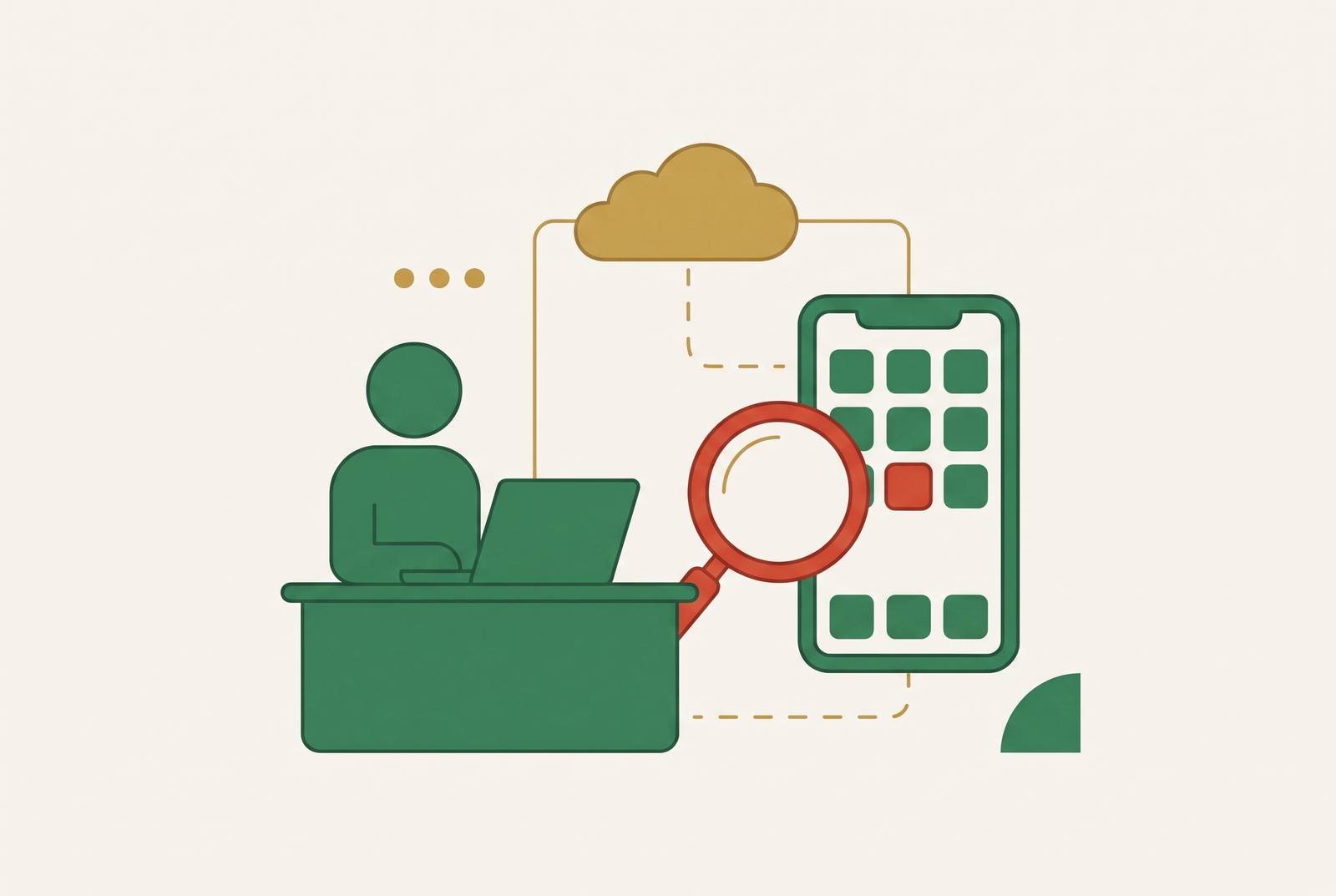
You can publish an AI-built app for iOS and another mobile platform without owning a Mac or installing Xcode by using a cloud build service or a no-code platform with server-side compilation. The iOS build still runs on a Mac that belongs to someone else. Choose a route based on your technical tolerance, its costs beyond compilation, and whether its Apple toolchain meets the requirements introduced on April 28, 2026.
Why "no Mac needed" is true and misleading at the same time
You can ship without owning a Mac. You cannot remove macOS from the iOS build process. Apple’s toolchain, including Xcode, codesign and the iOS Simulator, runs only on macOS. Compilation, signing and packaging depend on it, whether that machine sits on your desk or belongs to a service.
No-code platforms do handle compilation for their customers. They simply run the Mac behind the scenes. That is a useful service. Consider whose Mac does the work, how much access you need, and how much complexity the provider leaves in your hands.
The April 28, 2026 deadline that invalidates most online guides
Apple requires apps uploaded to App Store Connect since April 28, 2026 to be built with Xcode 26 or later using the relevant version 26 SDK. For an iOS app, that means the iOS 26 SDK. The rule covers new apps and updates, including bug fixes. Apps already live do not need recompiling just to remain on the store. An old tutorial can therefore describe a working build process that no longer produces an acceptable upload.
The dependency runs deeper than the Xcode version. Xcode 26.0 requires macOS Sequoia 15.6 or later, while Xcode 26.4 and later require macOS Tahoe 26.2 or later. A rental advertised as a “cloud Mac” says nothing about whether it meets that pairing. Cheap access is no bargain if the machine compiles your app but cannot produce a build that passes the upload requirement.
Intel hardware also has a narrowing upgrade path. Tahoe is the last macOS to support Intel Macs, and only four Intel models can run it. Those are the 2019 Mac Pro, the 2019 16-inch MacBook Pro, the 2020 13-inch MacBook Pro with four Thunderbolt 3 ports, and the 2020 27-inch iMac. The next major macOS release will need Apple silicon. An Intel rental outside that group cannot follow the toolchain onto Tahoe.
Before paying, ask the provider two direct questions. Which macOS version does the machine run? Which Xcode version is installed? Reject a setup that falls below the required matching versions, and prefer later compatible point releases. The same check belongs in the evaluation of both a hosted build service and a remote desktop rental.
How can you publish without owning a Mac, and what do the four routes cost?
Cloud CI services are the genuinely Mac-free developer route. You write code on Windows or Linux, push it to a repository, and let the service’s Mac build it. Expo EAS works well for React Native and Expo projects, and both eas build --platform ios and eas submit --platform ios run on Windows and Linux. Its free tier has a fixed monthly iOS build cap, low-priority queues and a 45-minute timeout. You cannot buy more builds on that tier.
Codemagic is another fit for Flutter and React Native projects. It gives personal accounts a monthly allowance of macOS build minutes, then charges by the minute beyond it. Team accounts do not receive that free allowance. An iOS build typically takes five to eight minutes, so the allowance can support real work. Both services suit founders who can work with code but do not want to maintain a Mac.
Signing is the main friction on this route. Certificates and provisioning profiles must match, names in Apple’s portal must match the CI configuration exactly, and reused build numbers can cause silent TestFlight failures. Those problems demand careful setup. Xcode Cloud also looks like an obvious option, but it requires Xcode to configure. A founder still needs to use a Mac at least once.
Cloud Mac rental trades that abstraction for a remote desktop with full Xcode access. MacinCloud offers hourly or monthly plans, while MacStadium offers monthly or annual plans. At hourly rates, a full day can work out to a few euros rather than the substantially larger commitment of a dedicated monthly plan. This works well for an iOS developer who knows the tools and needs to use the GUI, work on native modules or do interactive debugging. It is a poor classroom for someone learning Xcode from scratch, because remote-desktop lag slows interaction and recurring fees can accrue while the machine sits unused.
No-code and AI builder platforms hide the toolchain. A browser-based editor sends the project to a Mac-based build agent, which compiles it, signs it with the founder’s provisioning profile and returns an IPA. This works well for a non-developer who is willing to stay within the editor’s limits. Unsupported features remain a constraint, custom-code escape hatches can be awkward, and opaque build errors are hard to diagnose. If the platform shuts down, its build pipeline goes with it.
Buying a Mac is the fourth route, and the one that abandons the zero-hardware premise. With a Mac mini, the owner pays for the hardware upfront instead of paying rent, though Apple raised its starting price in 2026. It suits someone who plans to work on iOS apps often for years. For a first app with unproven demand, spending several hundred dollars before validation is a real barrier. The cheapest sensible route depends on how often the founder will use it.
Testing without a Mac — the problem the build services don't solve
An app can build in the cloud and still fail to work. Testing is where the lack of local Apple hardware becomes more inconvenient. The iOS Simulator is a macOS application, so it cannot run locally on Windows or Linux or as a browser application. Remote access to a rented Mac can provide it, but a hosted build job alone does not provide an interactive testing environment.
Without that access, the practical substitute is a physical iPhone. EAS internal distribution or TestFlight can deliver a build to it, but each round introduces a build, install and test cycle. EAS internal distribution uses ad hoc provisioning tied to specific device UDIDs. The device must be registered before the build is made, and adding another tester’s device requires a new build. Small interface changes therefore take longer to assess than they would with a local Simulator.
This is a cost in feedback time. Installing macOS on non-Apple hardware, whether as a hackintosh or a virtual machine, breaks Apple’s licence terms, so skip those workarounds. Physical-device testing through TestFlight remains the practical path, with access to an iPhone included in the plan.
What MCP tooling and AI agents can do — and where they still need a Mac
MCP connects an assistant to development tools so it can use them as well as suggest code. With Apple’s xcrun mcpbridge, an agent can build an app, boot a simulator, install and launch the binary, tap through the interface and read logs. The agent can then work on what broke without a developer copying Xcode output back and forth. That is a capability upgrade for the developer route.
Xcode 26.3 RC 1 had an issue in which mcpbridge returned data in content but not the required structuredContent field. RC 2 fixed it. Cursor’s lenient handling of non-compliant responses can silently drop structured data while accepting the response.
App Store administration has a related automation layer. The asc-mcp server offers tools for apps, builds, TestFlight, subscriptions and Xcode Cloud through clients including Claude, Cursor and VS Code. Those management tools do not remove the Mac dependency from compilation or simulator work. The founder still needs a local or rented macOS build environment for that work. AI can operate more of the machinery, but someone still has to provide it.
What the backend and infrastructure layer looks like for an app that actually ships
Getting the app into TestFlight means you have successfully built it. It does not provide the services a live app needs to handle users, data and payments. A realistic stack can include authentication, a database, payment processing, recurring tasks, email notifications and hosting. Cloud Macs and CI services do not supply those pieces. Their job ends well before the whole product is running.
Stripe offers control and low fees, while a merchant-of-record service such as Lemon Squeezy handles obligations including EU VAT, US sales tax across states and Australian GST. Polar fits products aimed at developers. RevenueCat serves in-app subscriptions on iOS. These are different roles, so choosing a build service does not settle the payment or subscription setup.
An all-in-one infrastructure layer offers a different trade-off. It can bring backend logic, database storage, authentication, recurring tasks, email notifications, SEO and hosting into one interface. That reduces the work of connecting a stack yourself. It does not replace the iOS compilation step, just as a cloud build service does not replace a backend. The distinction keeps “the app builds” from being mistaken for “the business is ready to run.”
What real solo founders found out after they shipped
The dividing line after launch is not build quality alone. Founders who made money solved compilation, but they also solved distribution. Founders who earned nothing could get the build right too. A functioning release pipeline gets a product into the store. It does not establish demand or give the founder a way to reach customers.
Only a small share of subscription apps make even a modest amount of money each month. The failure case is important because a solo founder can spend time and money fixing every technical obstacle and still finish with an app that does not earn. Shipping and finding paying users are separate problems.
A cheaper build route can preserve money while an idea is unproven, but it cannot supply a distribution plan. Owning a Mac still leaves the risk that the app will make no money. Technical choices determine how the app gets released and maintained. Distribution brings the product to enough people to give it a chance.
Matching the route to the founder's actual technical tolerance before spending anything
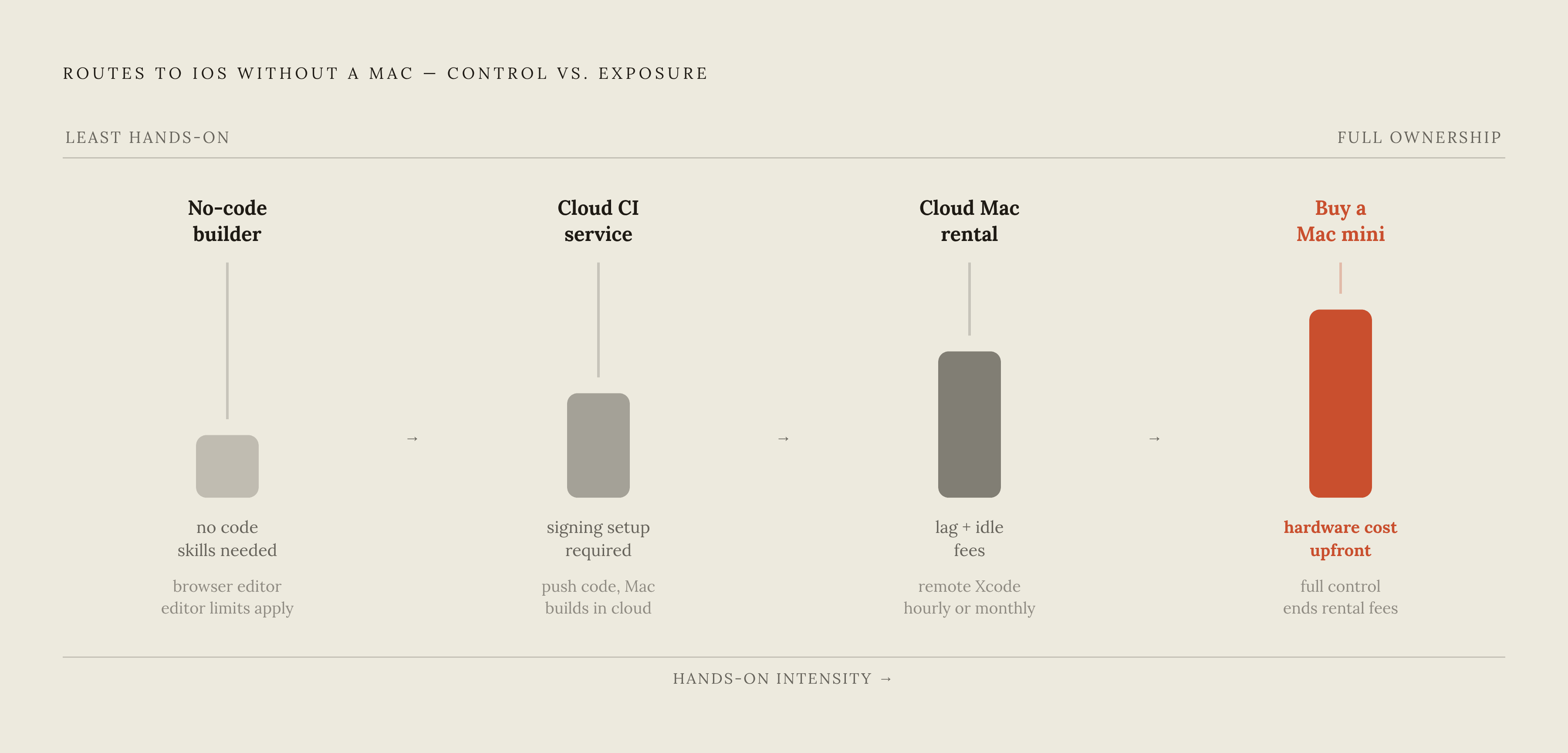
The decision starts with what you can maintain. If you have no coding background and want to skip the toolchain, a no-code platform with server-side iOS compilation is the right fit. Accept its editor constraints and dependency on the platform in exchange for avoiding code signing, CI configuration and direct macOS maintenance. Developer accounts alone do not remove the need to build within the platform’s supported features. An AI-generated app still has to fit the route that will compile it.
If you can write or direct code, Expo EAS or Codemagic offers a cost-efficient Mac-free starting point at low volume. Their free tiers can support initial validation and a first release, within their respective limits. Plan to spend time getting signing right. If you also need to use the Xcode GUI or a simulator or work on native modules now and then, renting a cloud Mac by the hour makes more sense than paying for a monthly subscription that sits unused.
For regular iOS development over years, a Mac mini becomes the simpler long-term choice. It ends the rental fees and puts you in control of the machine, though uploads still have to meet Apple’s toolchain requirements. For every route, check the macOS and Xcode versions before committing money and include the $99/year Apple Developer Program in the budget. Then treat distribution as part of the launch work. Borrowing a Mac solves an engineering dependency.